
How to Find William’s Recent Posts

There are 2 ways to see what William has posted lately:
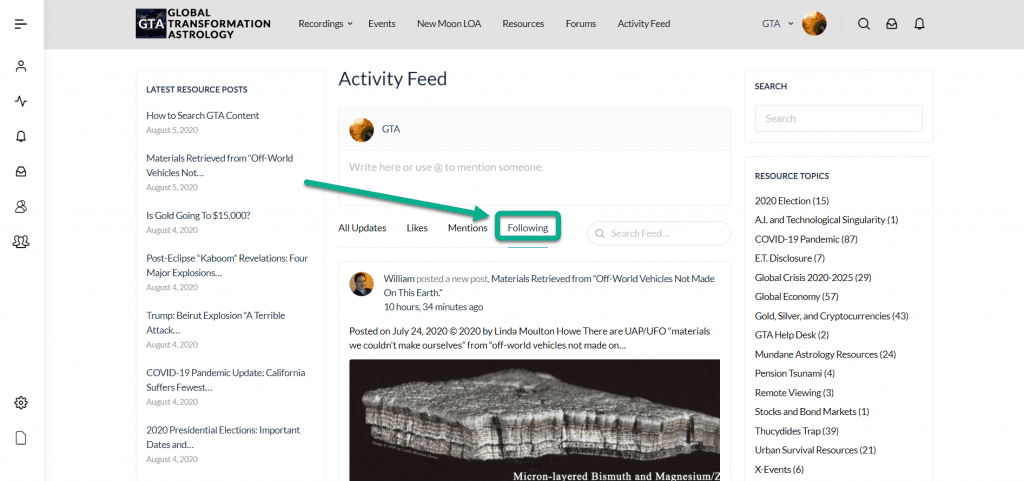
1. Use the ‘Following’ filter in the Activity Feed
In the Activity Feed, the default view is ‘All Updates’.
If you are following William, click ‘Following’ on the homepage/Activity Feed to see posts by GTA members you are following only.
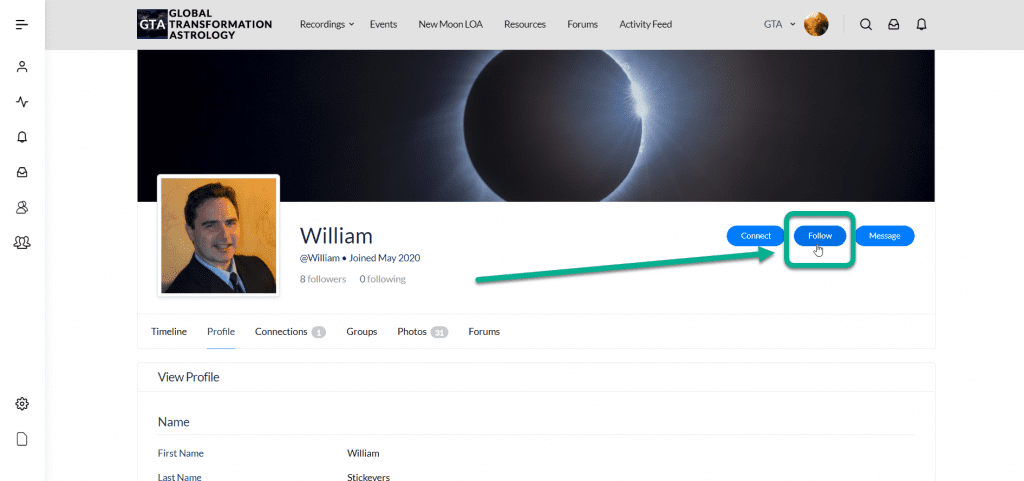
If you aren’t already following William, go to William’s profile and click ‘Follow’.
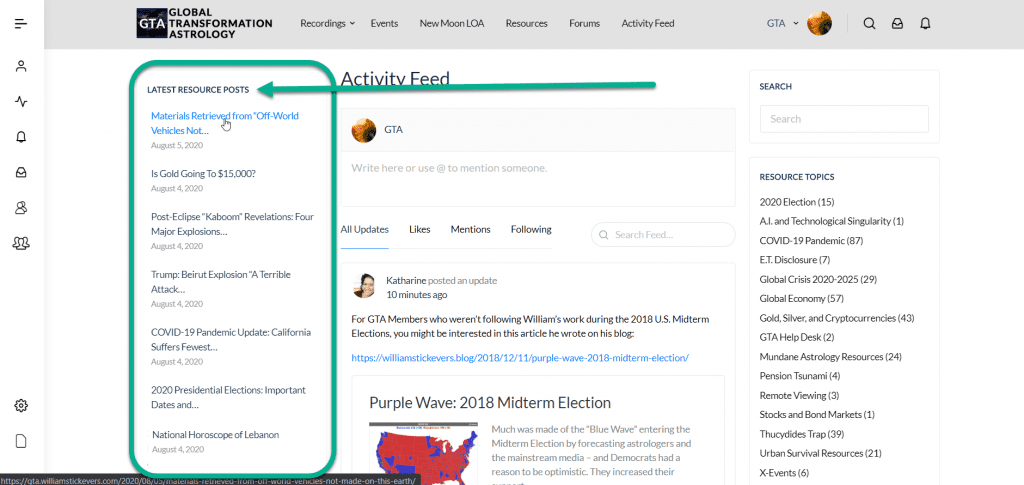
2. See the most Recent Resource Posts in the left column of the Activity Feed
See the most recent 15 Resource Posts in the left column of the homepage/Activity Feed.

Responses